Release Notes CodeNOW 7.19 – August 2026
CodeNOW 7.19 unifies Managed and External Services into Hosted and Connected Services, with a guided setup wizard, platform-provided templates, and fine-grained availability controls.

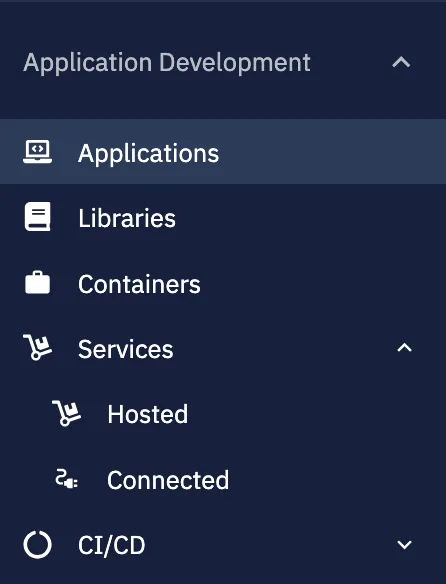
Unified Services: Hosted & Connected
Managed Services and External Services are now unified under a single Services area with two
clear categories based on what gets created: Hosted Services, provisioned and run by CodeNOW,
and Connected Services, a connection to a service running outside the platform. Legacy/managed-services and /external-services links redirect automatically to the new locations.
Key Capabilities:
- Single Services Area: Hosted and Connected Services live side by side under one navigation entry
- Outcome-Based Naming: The split is based on what gets created (a running instance vs. a connection record), not internal vs. external technology
- Backward-Compatible Links: Old bookmarks and deep links to Managed/External Services keep working via redirect
- Renamed Templates: "External Service Templates" is now "Service Templates"
Benefits:
- Clearer mental model for where to find and manage every kind of service
- No broken bookmarks or documentation links during the transition
- Consistent terminology across the portal, API, and documentation
Platform-Provided Service Templates
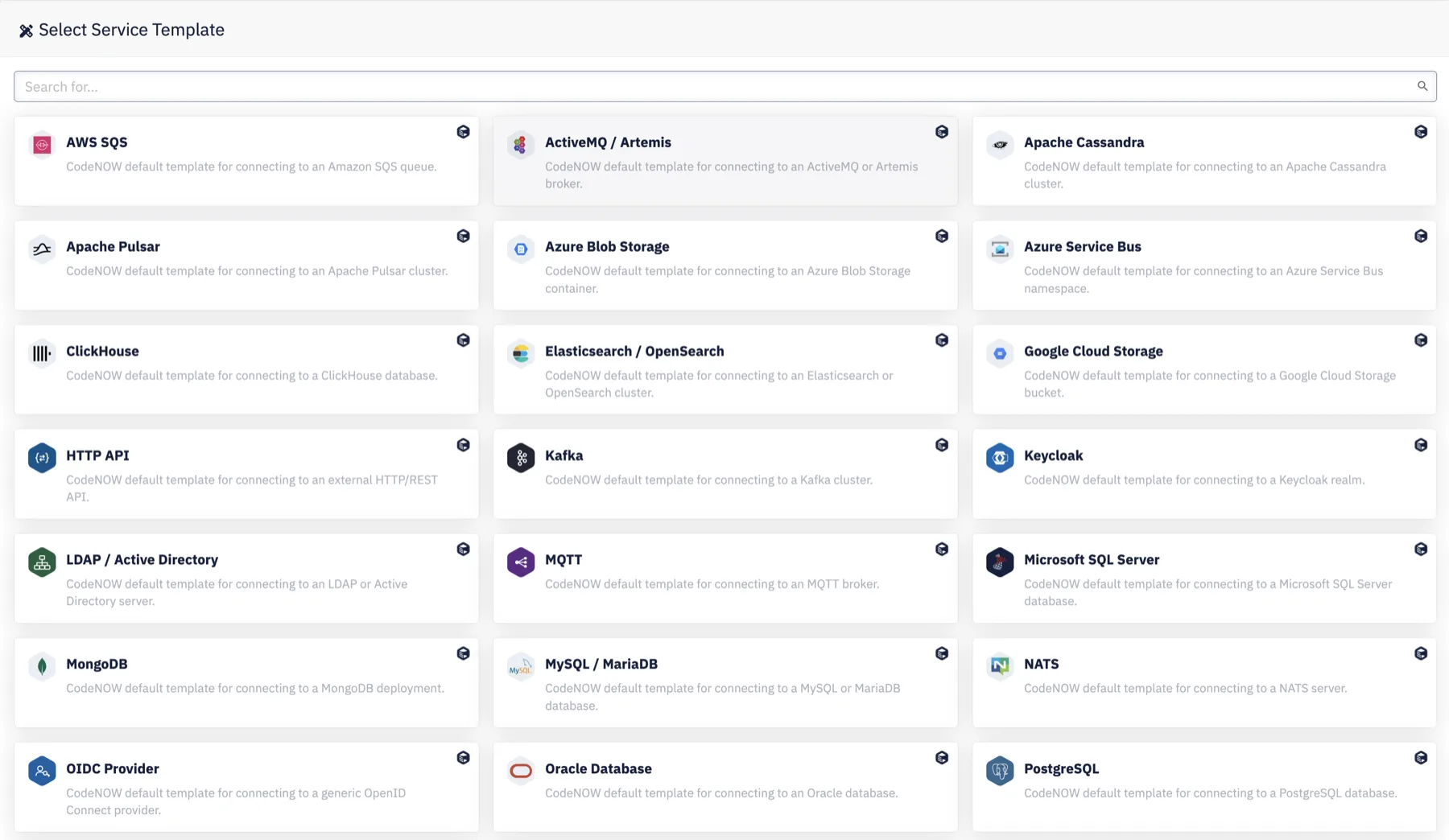
CodeNOW now ships built-in Service Templates for common technologies such as Kafka, Redis, and
PostgreSQL, available to every account alongside your own custom templates.
Key Capabilities:
- Ready-to-Use Defaults: CodeNOW-authored templates (
cn_*) appear in the Service Templates list, clearly badged - Read-Only by Design: Platform templates can't be edited, deleted, or have permissions managed — but can be favorited
- Fully Usable: Create a Connected Service from a platform template exactly as you would from a custom one
- Structured Variables: Template variables carry category, ordering, and per-variable
optional/secretflags
Benefits:
- Faster onboarding for common technologies without authoring a template first
- Clear separation between what CodeNOW curates and what your team owns
- Consistent variable structure across platform and custom templates
Guided Hosted Service Setup
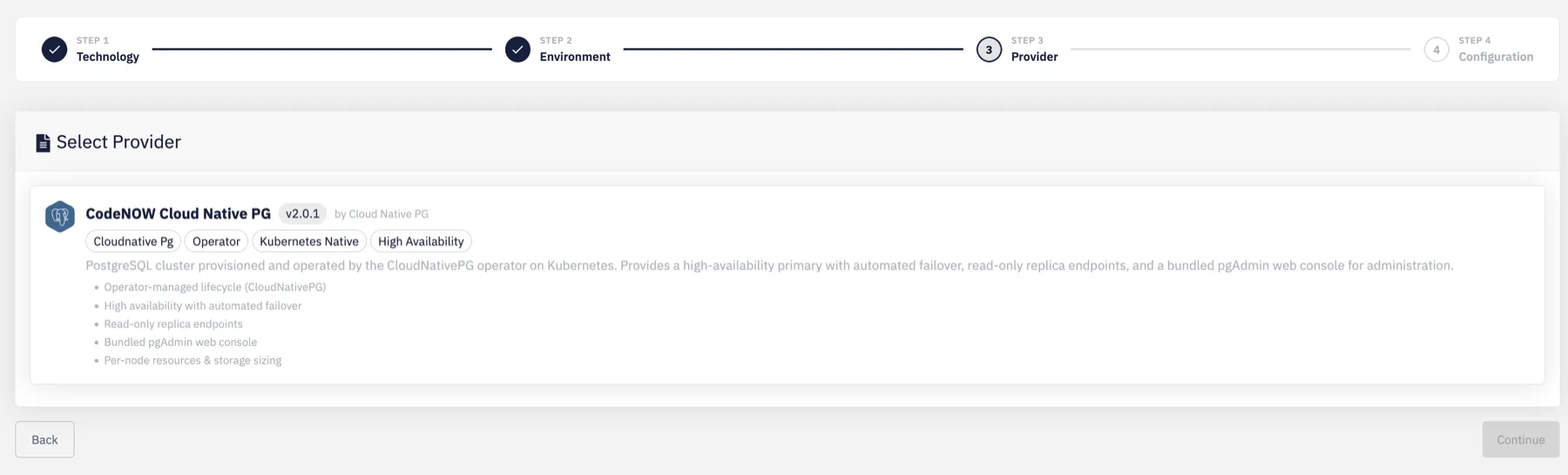
Creating a Hosted Service now walks through a multi-step wizard instead of a single form,
surfacing only the technology, provider, and environment combinations that are actually available
to your account.
Key Capabilities:
- Technology Catalog: Browse available technologies as tiles grouped by category
- Provider Selection: Compare providers by vendor, description, features, and tags, with a recommended option highlighted
- Environment Filtering: Only environments where the chosen technology/provider combination is actually deployable are selectable
- Dynamic Configuration: The final configuration form adapts to the fields relevant to the selected provider
Benefits:
- No more picking a combination that turns out to be unsupported after the fact
- Clearer comparison between providers before committing
- Faster, more guided setup for teams unfamiliar with a given technology
Update Availability for Hosted Services
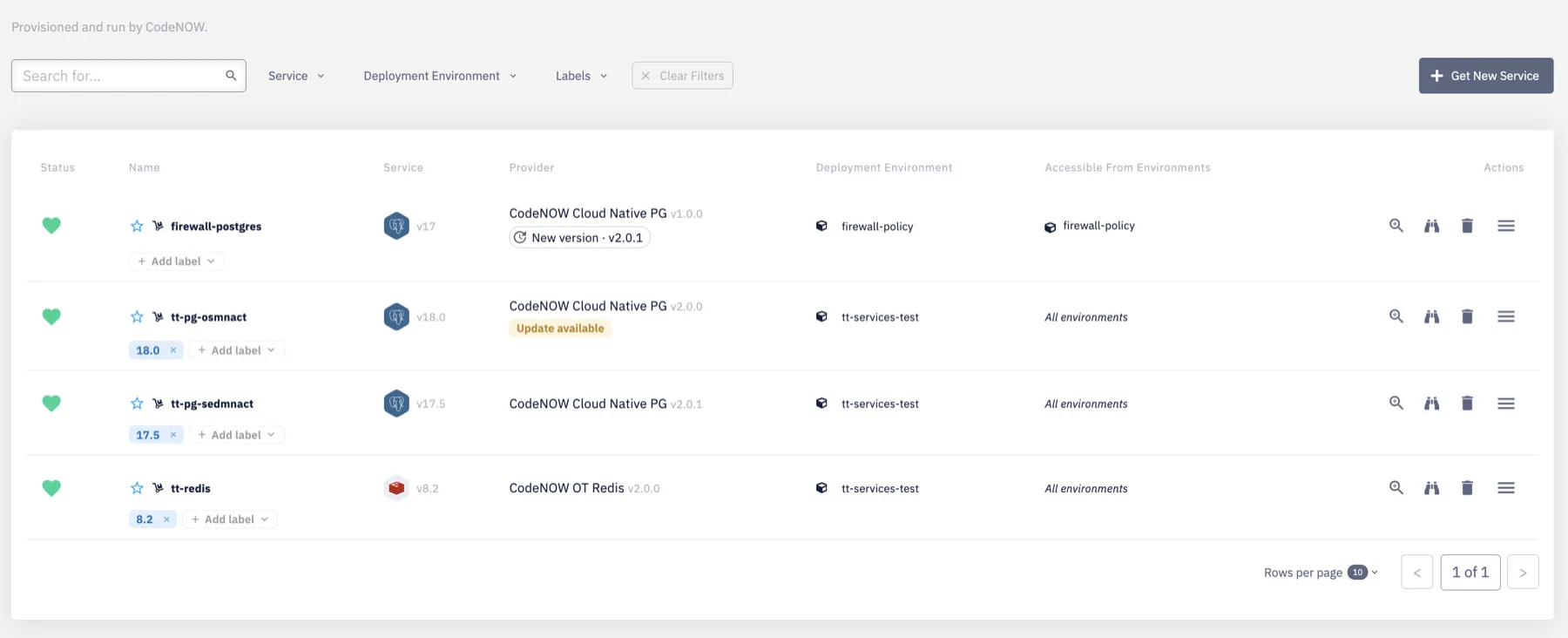
Hosted Service instances now indicate when a newer provider version is available, with one-click
updates for low-risk patch releases.
Key Capabilities:
- List Badge: Instances with an available update are flagged directly in the Hosted Services list
- Detail Modal: The instance detail view shows the available version and update type
- One-Click Patch Updates: Patch-level updates apply with a single action and preserve existing configuration values
- Informational Major/Minor Notices: Larger version jumps are surfaced for awareness, without a one-click action
Benefits:
- Stay current on low-risk patch updates without manual tracking
- Clear signal for when a bigger, manually-planned migration is worth considering
- No risk of losing configuration when applying a patch update
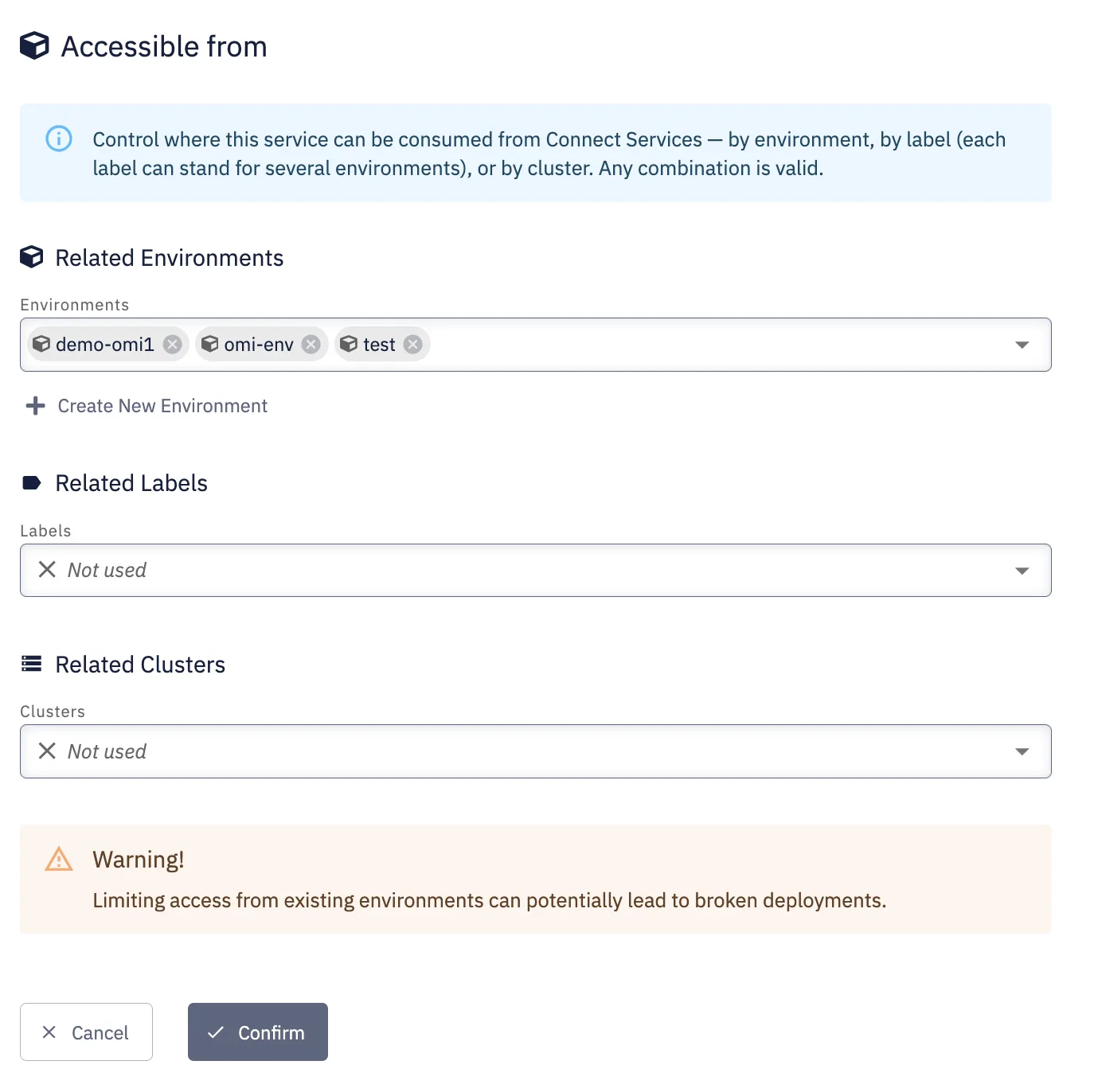
Service Availability Controls
Every service — hosted or connected — now has an explicit, editable setting for where it can be
used: which environments, labels, and (for connected services) clusters can consume it. This can
be set at creation time or edited later.
Key Capabilities:
- Three Independent Axes: Environments, Labels, and Clusters (Clusters applies to Connected Services only)
- Explicit "Not Used" State: An axis left unset contributes nothing and blocks nothing — it's a deliberate no-op, not a restriction
- Live Evaluation: Availability is resolved dynamically — e.g., adding an environment to a covered cluster later extends access automatically
- Set at Creation: Availability can be configured in the same request that creates the service
Benefits:
- Precise control over which applications can connect to a given service
- Fewer accidental exposures across environments
- One consistent availability model for both hosted and connected services
Structured Fields for Connected Service Templates
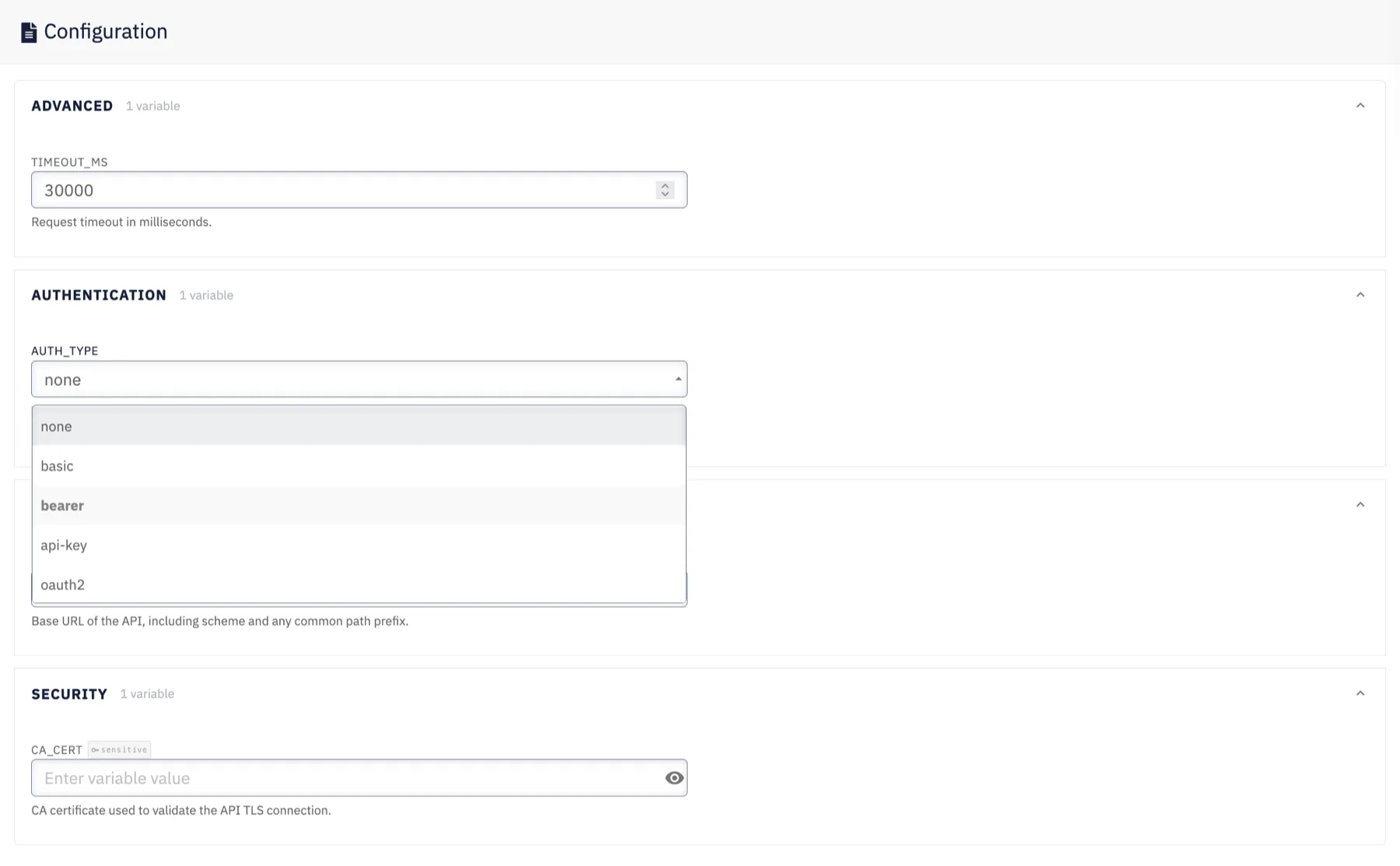
Select platform-provided Connected Service templates now render fields like authentication type or
encryption mode as dropdowns instead of free-text inputs.
Key Capabilities:
- Typed Fields: Fields such as
AUTH_TYPEandENCRYPTIONare now single-select instead of free text - Server-Enforced Values: The platform validates submitted values against the allowed set
Benefits:
- Fewer misconfigured connections caused by typos in free-text fields
- Clearer, self-documenting configuration forms
Availability Rule Correction — Action May Be Needed
This release also corrects an evaluation bug in service availability rules: some combinations of
settings that were previously ignored (including explicit "deny all" restrictions) are now
correctly enforced. As a result, a small number of existing Hosted Services may see their
effective availability change after this update. We recommend reviewing the "Where can this
service be used" settings for any existing Hosted Service where availability matters, shortly
after upgrading.
Written by CodeNOW